Your playlists.
Any screen.
Gecko Player is a fast, clean player for the M3U and Xtream playlists you already own. You bring the login — it plays it.
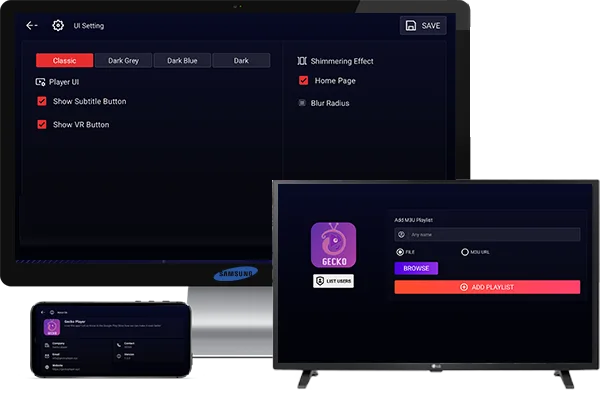
Everything a player should be. Nothing it shouldn't.
Built to play your own playlists smoothly on every device — with a simple, remote-friendly interface.
M3U & Xtream
Sign in with an M3U URL or Xtream Codes login from the service you already use.
Live, Movies & Series
Your provider’s Live TV, VOD and series — organised, searchable, with favorites.
Phone to TV
One app for phones, tablets, Android TV, Google TV and Fire TV. Remote-friendly UI.
EPG & Catch-up
Full TV guide and catch-up support when your provider offers it.
Multi-screen
Watch several streams at once in a clean multi-view layout.
20+ Languages
Available in over 20 languages including English, German, French, Spanish and more.
A player — never a source
Gecko Player does not include, host or provide any channels, playlists or content. No information about where to get channels or subscriptions is provided. Anything you enter stays on your device. You are responsible for the content you play.
Download Gecko Player
One free app for Android phones, tablets, Android TV, Google TV and Fire TV.
Installing outside a store? Allow “Install unknown apps” for your browser or file manager when prompted.
Questions, answered
Does Gecko Player come with channels?
No. Gecko Player is only a player. It has no channels, playlists or content. You add your own M3U URL or Xtream login from a service you already subscribe to.
Which devices are supported?
Android phones and tablets, Android TV, Google TV and Amazon Fire TV. The interface is designed to work well with a remote.
Is it free?
Yes, Gecko Player is free to download and use. An optional one-time purchase to remove ads may be offered.
What can I sign in with?
An M3U / M3U8 playlist URL, or an Xtream Codes login (host, username and password) from your provider.
How do I install it on my TV?
See our support page for step-by-step instructions for Android TV, Google TV and Fire TV.